Getting started
Rast is a desktop companion for musicians who want to practice along with recordings. Drop in a song, wait a minute or two while it works out the chords, key, and beats, then play along — slow it down, transpose it, mute the vocals, click a metronome, edit the chord chart, loop a tricky bar. It is mode-aware too: it detects modal scales (dromoi) that most Western chord tools round to plain major or minor.
This page gets your first song into the app.
What you need
Rast is a single desktop app for Windows, macOS, or Linux — no account, no cloud. Everything happens on your machine. You will want a few hundred megabytes of free disk space for the song cache and a reasonably modern CPU (analysis leans on it heavily). A GPU is not required.
Importing a song
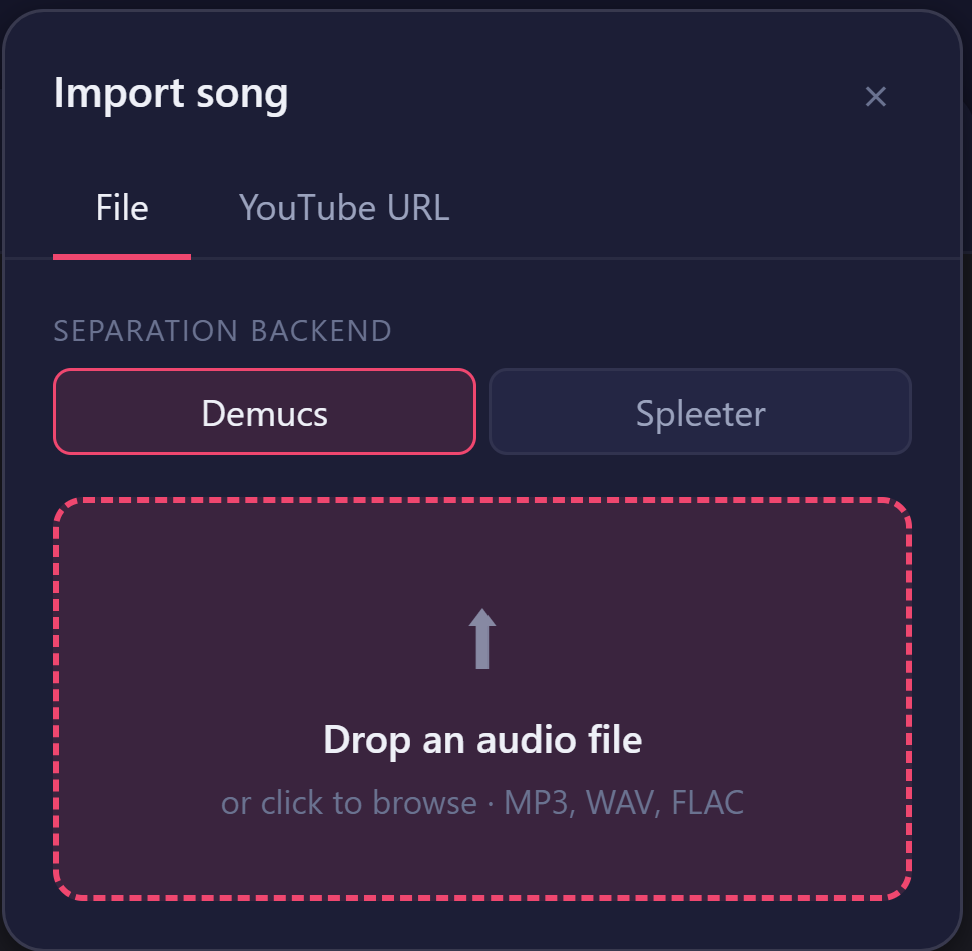
Click + Import at the top of the library sidebar, or just drag an audio file onto the window. Rast accepts MP3, WAV, FLAC, M4A, OGG, AAC, OPUS, and WMA.
Prefer YouTube? Switch the import dialog to the YouTube URL tab, paste a link, and click Import. Rast resolves the title and downloads the audio for analysis.
If both separation engines are installed on your system, the importer offers a choice between Demucs (slower, higher fidelity) and Spleeter (much faster). Either is fine — pick Spleeter if you are in a hurry.
What happens during analysis
Once a song is in, Rast walks through four stages, with a progress bar at the top of the timeline:
- Separation — splits the recording into a vocals stem and an instrumental stem.
- Beats — finds the pulse and beat grid.
- Chords — labels each beat with a chord.
- Key — picks the most likely key, with extra logic for Greek modes.
Expect roughly one to three minutes for a typical song the first time. After that the result is cached, so reopening it is instant.
Finding your way around
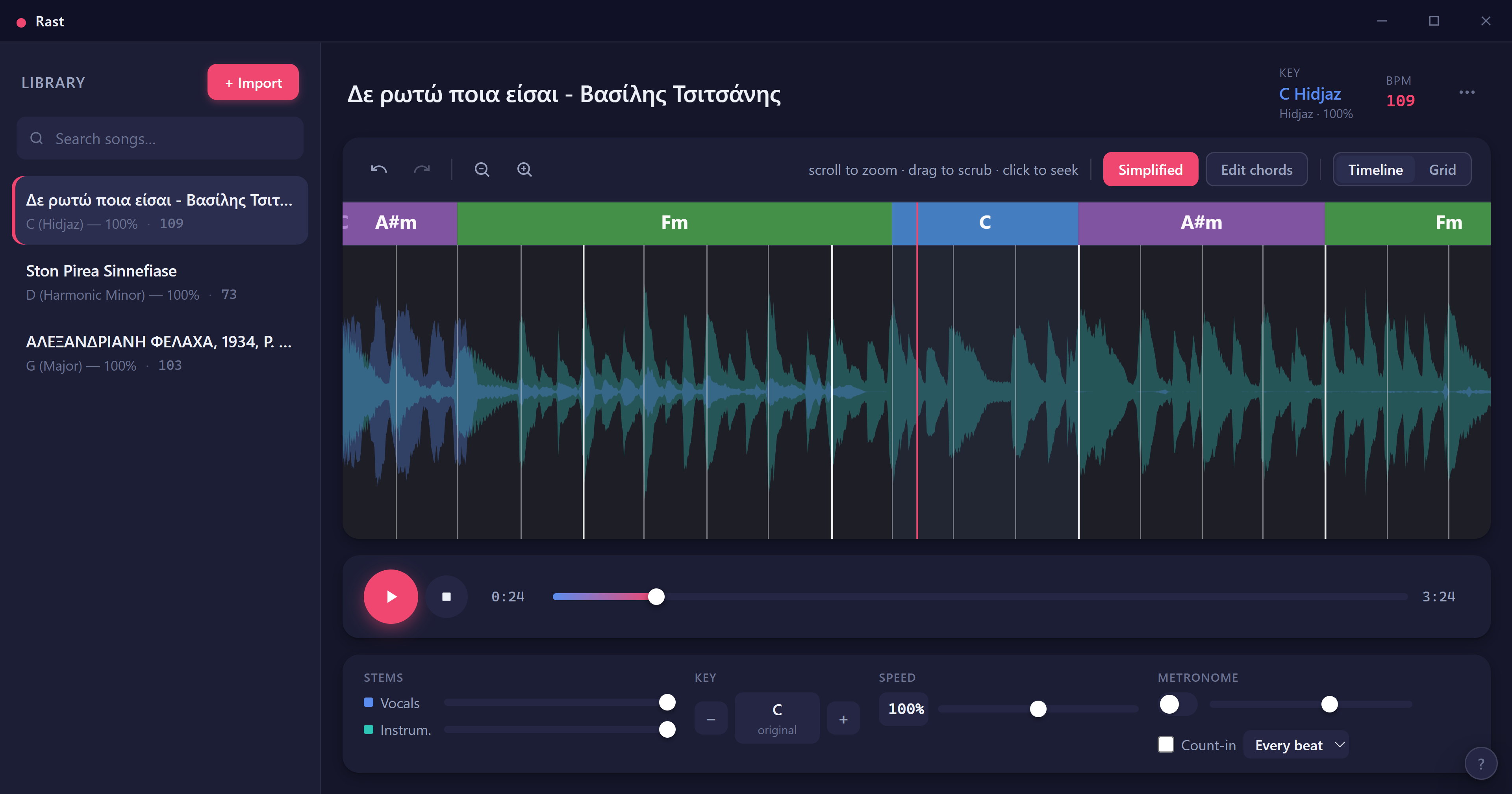
The sidebar on the left is your library — search at the top, songs below with their detected key and tempo. Click one to load it. Press F2 (or double-click a row) to rename it. Hit Ctrl+B to collapse the sidebar when you want more room.
The main area shows the song title and metadata, the chord timeline, the transport bar, and the controls panel underneath. Press ? any time to see the full keyboard shortcuts.
Where your files live
Rast stores everything under ~/Rast/ in your home folder: the song library database, a per-song cache of stems, and a log file. You never need to touch this folder, but it is there if you want to back things up or move to a new machine.
Ready to play? Head to Playback. Curious about Greek modes? See Greek scales.